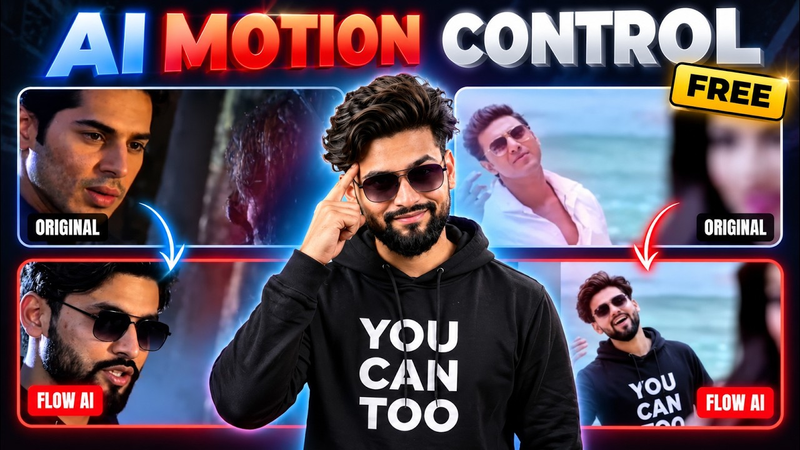
Artificial intelligence is changing the way people create videos, animations, and digital content. One of the most interesting developments in AI video generation is Motion Control technology, which allows creators to transfer movements from an existing video onto another character using a reference image. Instead of manually creating every movement or recording a new performance, users can provide an original motion video and a separate character image to generate a new animated result.AI Motion Control: Use Your Uploaded Video to Copy Character Movements with a Reference Image
This technology is especially useful for content creators who want to produce engaging videos without spending hours learning professional animation software. The basic idea is simple: upload your first video as a motion reference and use your second uploaded image as the main character. The AI analyzes the movement in the reference video and attempts to reproduce similar actions using the character shown in the image. This opens up exciting possibilities for social media videos, creative projects, digital storytelling, and AI-generated entertainment.
What Is AI Motion Control?
AI Motion Control is an advanced video-generation technique that focuses on transferring body movements, gestures, and actions from one source to another. It uses artificial intelligence to understand how a person or character moves in a reference video and then applies those movements to a different visual subject.
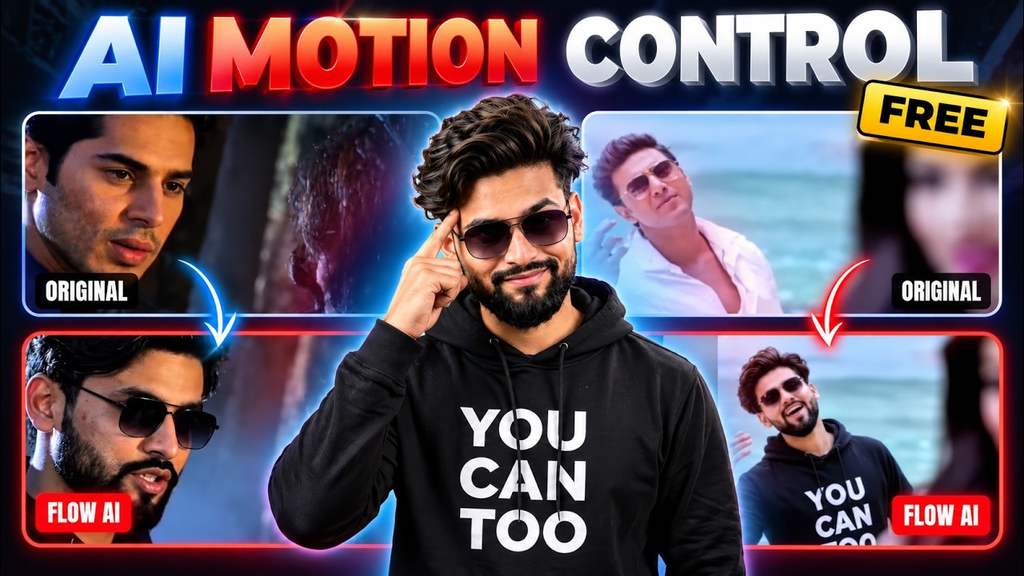
Unlike traditional image-to-video generation, where AI creates movement based mainly on a written prompt, motion control provides an actual movement reference. This gives creators more control over the type of action they want to reproduce. For example, if the first uploaded video contains a person walking, dancing, turning around, or performing a particular gesture, the AI can use that movement as a guide for animating the character in the second uploaded image.
How Does Motion Control Work?
The process generally involves two important inputs. The first input is the uploaded reference video, which acts as the source of motion. The second input is the character reference image, which determines the visual appearance of the character in the generated video.
After both files are uploaded, the AI system analyzes the reference video’s movement patterns, including body positioning, gestures, timing, and changes in posture. It then attempts to reproduce the same motion using the character from the second image. The final result is a newly generated video that combines the movement of the first source with the appearance of the second source.
The quality of the output depends on several factors, including the clarity of the reference video, the visibility of the character in the image, the complexity of the movement, and the capabilities of the selected AI model. A clear reference generally makes it easier for the system to understand the intended action.
First Uploaded Video: Use It as a Motion Reference
The first uploaded video plays an important role in the entire process because it provides the movement that the AI needs to reproduce. This video should contain the action or performance you want your final character to follow.
For example, creators can use a reference video showing a person walking forward, moving their hands, changing positions, dancing, or performing a simple body movement. The AI uses the available visual information to understand the action and its timing. This means you do not necessarily need to describe every movement through a long text prompt when the reference video already demonstrates what should happen.
Choosing a suitable reference video is essential for achieving a natural-looking result. Videos with clear movements, good lighting, and an easily visible subject can help improve motion interpretation. Extremely complicated movements, multiple overlapping subjects, or frequent camera changes may make accurate motion transfer more challenging.
Second Uploaded Image: Your Main Character
The second uploaded image determines which character will appear in the generated video. It can contain a person, a fictional character, a digital avatar, or another suitable subject supported by the selected AI tool.
The main purpose of this image is to provide the visual identity for the newly generated character. While the first video supplies the movement, the second image supplies the appearance. This separation makes the process particularly interesting because creators can use one person’s movement as a reference while generating a video featuring an entirely different character.
For better results, choose a high-quality image in which the subject is clearly visible. A front-facing or appropriately positioned character image can make it easier for an AI model to interpret the body structure. Avoid unnecessary obstructions, excessive blur, and images where important parts of the character are outside the frame.
Step-by-Step Guide to Using AI Motion Control
Getting started with AI Motion Control does not necessarily require professional animation knowledge. Most supported platforms provide a relatively simple interface where users can upload their reference files and configure the generation process.
First, select an AI video-generation platform that offers a dedicated Motion Control or reference-motion feature. Open the relevant tool and locate the option for uploading a motion reference video. Choose the first video from your device, making sure it contains the movement you want to reproduce.
Next, upload your second image as the main character reference. Carefully check that you have selected the correct image and video. Some platforms provide additional settings for aspect ratio, video duration, character consistency, and output quality. Configure these options according to your project requirements.
Once the required inputs are ready, start the generation process. The AI will analyze the reference movement and attempt to create a new video using the uploaded character image. Depending on the platform and selected generation settings, processing may take some time. After completion, preview the result and check whether the generated character follows the intended movements.
Why Is Motion Control Better Than Basic AI Video Generation?
Traditional text-to-video tools rely heavily on written descriptions. Although they can generate impressive results, getting a specific movement exactly as imagined may require multiple prompt adjustments. Motion Control provides an additional reference that helps communicate the intended action more visually.
For instance, writing a prompt that describes a particular dance sequence may not always produce the exact timing or gestures you expect. However, providing a reference video gives the AI a visual example of the movement. This can make the creative process more predictable and reduce the need for repeatedly experimenting with different descriptions.
Another advantage is creative flexibility. Users can experiment with different character images while keeping the same general movement reference. This allows creators to explore multiple visual concepts without recording a completely new performance for every project.
Best Tips for Getting Realistic Motion Transfer Results
The quality of an AI-generated motion-control video depends significantly on the reference material. One of the most important tips is to use a video in which the main subject is clearly visible. When the body is hidden behind objects or other people, the AI may have difficulty interpreting certain movements.
Another useful recommendation is to select a character image that matches the general body orientation and framing of the reference video. Although advanced models can handle different compositions, similar positioning may help produce more consistent results.
It is also worth experimenting with shorter reference clips before generating longer videos. Shorter sequences can make it easier to identify whether the AI understands the movement correctly. If the result does not match your expectations, try another reference clip or adjust the character image rather than assuming that every generation will produce identical results.
Use AI Motion Control for Social Media Content
Short-form video platforms have created new opportunities for creators who want to publish entertaining and visually engaging content. AI Motion Control can support this creative process by making it easier to experiment with different characters and movement styles.
Creators can use the technology to develop animated characters, recreate general dance movements, produce visual storytelling clips, and create interesting character-based videos. It may also be useful for educational demonstrations, creative presentations, and digital entertainment projects.
For example, a creator could use a reference video showing a simple walking movement and transfer that motion to an illustrated character. Another project might involve using a suitable character image to create a short animated sequence based on a reference performance. The possibilities depend on the available AI platform and its supported content policies.
Common Problems and Their Possible Solutions
Sometimes, the generated character may not reproduce the reference movement accurately. This can happen when the source video is blurry, the subject is partially hidden, or the movement is too complex for the selected model. Trying a clearer reference video may improve the result.
Another common issue is inconsistent character appearance. The generated subject may look slightly different during certain frames, particularly when the reference image does not provide enough visual information. Using a high-resolution character image and a supported motion-control model can help reduce these inconsistencies.
Camera movement can also influence the final output. If the reference video contains sudden zooms, rapid camera rotations, or multiple scene transitions, the AI may produce unexpected results. A relatively stable reference clip is often a better starting point for beginners.
Is AI Motion Control Suitable for Beginners?
Yes, Motion Control can be an interesting option for beginners because the basic workflow does not require manually animating every movement. Users mainly need to understand how to provide the correct reference video and character image.
However, getting professional-looking results may require some experimentation. Different platforms have different controls, generation limits, and supported input formats. Beginners should start with simple reference movements and gradually explore more advanced projects as they become familiar with the available features.
The technology is also evolving, so the quality of motion transfer can vary between tools and model versions. It is always a good idea to check the latest platform documentation before starting a project.
Final Words
AI Motion Control is an exciting development in modern video creation because it allows creators to combine movement from an uploaded reference video with the appearance of a separate character image. By using the first uploaded video as the motion source and the second uploaded image as the main character reference, users can experiment with a new approach to AI-powered animation.
Whether you are creating social media content, experimenting with digital characters, or exploring AI video-generation technology, motion transfer offers an accessible way to bring creative ideas to life. The best results usually come from clear reference videos, high-quality character images, and carefully selected generation settings. As AI video tools continue to improve, Motion Control is likely to become an increasingly useful feature for both beginner and experienced content creators.